You, me, and Screenies
Moderator: Moderators
-
EvilPickle
- PPT Toddler

- Posts: 197
- Joined: Sat Jan 07, 2006 1:17 am
- Location: The outback, mate. G'day.
- Contact:

 ]
]


imsarah wrote:bluehypnosis wrote:crystalnox wrote:It went up to 47, then dropped to 46 and that's when I sold them. Now it's back to 47 again.
It's at 48 now - I think ACFI is having its run....so I'm waiting for alittle bit more
Me too cause I'm greedy and dont have anything else to spend my neopoints on.
It was up at 52 this morning, but I was waiting for 63, so I could sell for a million. Down to 46 now ... hmmmmmm

Bellagio wrote:imsarah wrote:bluehypnosis wrote:crystalnox wrote:It went up to 47, then dropped to 46 and that's when I sold them. Now it's back to 47 again.
It's at 48 now - I think ACFI is having its run....so I'm waiting for alittle bit more
Me too cause I'm greedy and dont have anything else to spend my neopoints on.
It was up at 52 this morning, but I was waiting for 63, so I could sell for a million. Down to 46 now ... hmmmmmm
It's back to 49 now. i luckily sold 2 lots of it this morning when it was at 52.
now for some of my luck:

Whoo!
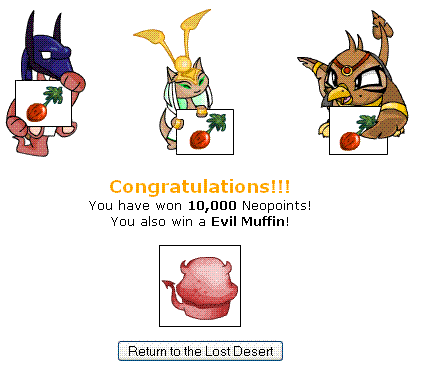
whoo!

Finally! after like forver, i get something good

Losers are those who do not try
-
Immortal_Z
- PPT Trainee

- Posts: 540
- Joined: Mon Aug 14, 2006 10:32 am
- Contact:




-
Daze
- Beyond Godly

- Posts: 4819
- Joined: Thu Jan 06, 2005 6:22 am
- Location: Somewhere outside of reality
Immortal_Z wrote:how do you take screenshots and not have them shrunk down when you save then on photobucket?
Photobucket shrinks down files larger than 1 MB, so your images are too big. Don't save them as a bitmap. Bitmaps are a huge file.
Make sure you save an image as a jpg, gif, or png. ( I prefer using png).
When you paste your screenie into Paint (or other program) make sure you are cropping it to only the relevant bit and if it is still very big, shrink the image down before you upload it.
I use the Stretch tool on vertical and horizontal. Anything under 100% will shrink it. Around 70 or 80 % is a good shrinkage.
Try it out on any screenie to work out how to do it.

Immortal_Z wrote:how do you take screenshots and not have them shrunk down when you save then on photobucket?
I agree with Daze
Instead of saving as .bmp, you could save it as .gif or .jpg. Even .pngs can turn out pretty big. The gif and jpgs are quicker to load too (especially for poor dial-up users like me.) If youre worried about image quality, try downloading IrfanView. You can save something as a 400kb png, and then use IrfanView to convert it to a 40kb gif without a loss of quality.
If it's still resizing your stuff or you dont want to use smaller image types, click 'account options' at the top of your photobucket, and select a larger Max Picture Size. It might be that you dont have it set on the max setting, so its resizing everything over 256kbs or something.

-
Rubywinged
- PPT Trainee
- Posts: 559
- Joined: Wed Mar 29, 2006 9:38 am


-
Immortal_Z
- PPT Trainee
- Posts: 540
- Joined: Mon Aug 14, 2006 10:32 am
- Contact:


-
raylene

- PPT Toddler
- Posts: 117
- Joined: Wed Aug 25, 2004 1:13 am
- Location: Malta...an island far far away...okay it in the Med sea but a girl can dream right?!

...been trying to sell it for ages
 bought it for just 425k so when i couldn't sell it i decided 5k was "profit" enough...then i get 70k
http://i2.photobucket.com/albums/y45/raylened/amp.jpg

You can be who you wanna be if you know who you wanna be, but if you don't know who you wanna be how can you be what you wanna be?!
-
musikitamanga
- PPT Baby

- Posts: 90
- Joined: Sun Mar 19, 2006 10:45 am
- Location: Dreaming...